

Table of Contents
CONXTD Integration
TetherX and CONXTD are deeply integrated. TetherX reports alarm panel events to CONXTD, and CONXTD shows live view and recorded video from your cameras inside the CONXTD platform.
This is set up per alarm panel rather than per site, because what CONXTD receives are the panel's own signals.
Connecting an Alarm Panel
Click the Edit icon beside the panel you want to report
Tick Enable CONXTD and enter the Transmitter ID / Site Reference your CONXTD account uses
Click Update Alarm to save
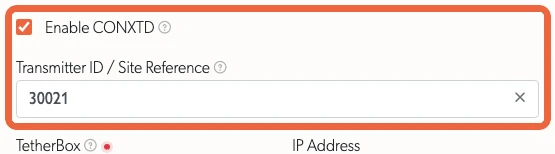
Once enabled, this panel's events are reported to CONXTD as they arrive.
Adding Live Video
Video is copied from TetherX in the same way as for any other control room software:
- Go to the Control Rooms page
- Copy the URL for each camera, or use Copy All to take the lot as a spreadsheet
- Add the URL to your CONXTD configuration
The URLs belong to the account that copied them and stop working if that account is removed, so we recommend creating a dedicated user for your control room.
Related Articles
- Control Room Software Integration - How the platforms compare and what the integration gives you
- Immix Integration - Alarms and live video by email, for Immix and HikCentral
- Alarm Panel Integration - Choose an alarm signal receiving or panel control integration
Referenced in: